Multiplayer guide / friends & lobbies

Play With Friends

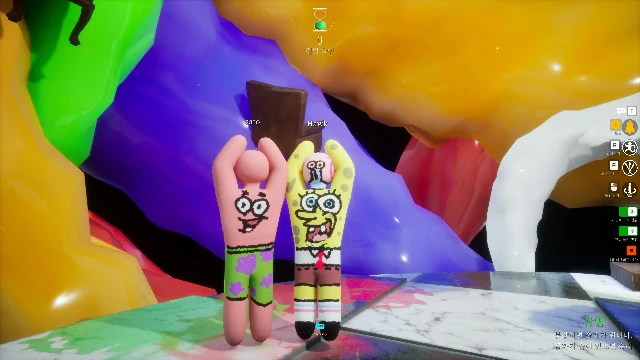
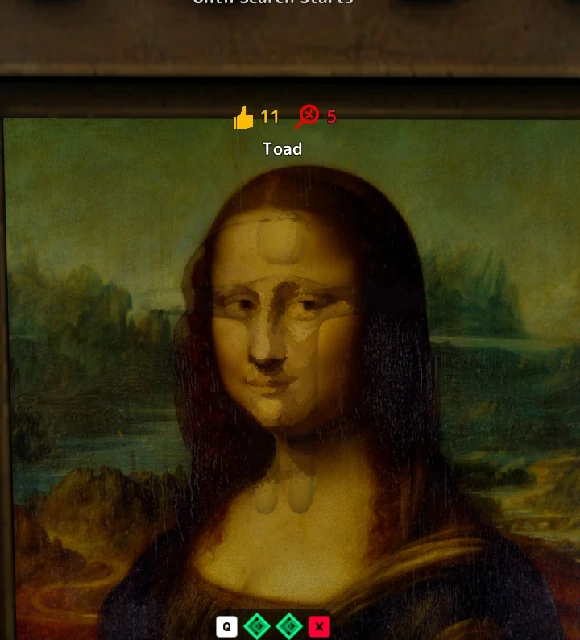
MECCHA CHAMELEON is at its best when a lobby turns into a shared story: someone paints themselves terribly, someone survives in a spot that should never have worked, and the hunters argue about how they missed a hider standing right in front of them.

This guide shows how to play MECCHA CHAMELEON with friends online on Steam. It covers private server creation, joining a friend's lobby, game modes, lobby settings, and what to do when something breaks.

Friends gathered around screens playing together
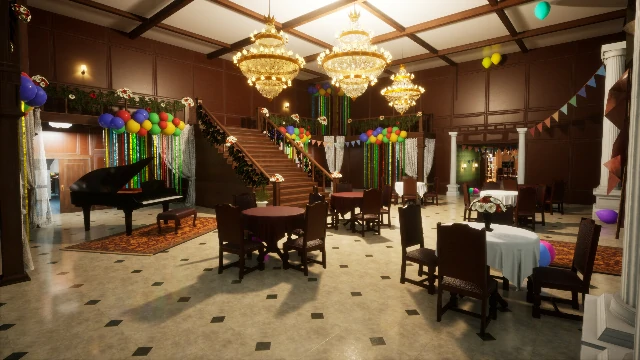
Colorful game lobby on screen

The goal

Get everyone in. Start playing. Stop wasting time in menus.

24

max players

3

game modes

PC

only

Before you start

What Kind of Lobby Do You Want?

Three common session types — pick the one that matches your group before you create anything.

lock

Private

Friend Lobby

Friends only. Voice chat. Controlled settings. Best for beginners and practice.

public

Public

Open Lobby

Strangers welcome. Faster to fill. More chaotic. Less predictable.

live_tv

Viewer

Community Lobby

Streamers and community hosts. Rotating players. Bigger, louder rounds.

Quick start

The Basic Friend-Lobby Flow

If you just want the short version, here is the complete sequence from launch to first round.

  1. 01

    One player hosts

    The host is the player who creates the room and controls match settings.

  2. 02

    Choose Create Server

    From the main menu after launching the game.

  3. 03

    Set name & password

    Pick a name your friends can spell. Set a password to keep the room private.

  4. 04

    Set max players & region

    Hard limit is 24. For a first lobby, stay under 12.

  5. 05

    Create & share details

    Send the server name and password to your friends via chat or voice.

  6. 06

    Friends: Find Private Server

    Click Find Server → Find Private Server, enter name and password.

  7. 07

    Everyone joins

    Wait for the server to appear in search results, then click Join.

  8. 08

    Host configures the match

    Map, mode, timers, taunts — all set from the podium inside the lobby.

  9. 09

    Start the round

    If your group is new, use a simple map and longer prep time.

Person setting up a game server on a PC
Friends on voice chat while gaming

First lobby tip

Don't set the room to 24 just because you can.

The developers advise possible instability above 14 players. Start smaller.

Host setup

How to Create a Server

The host controls the room. Every field on the creation screen matters for whether friends can find you and whether the session runs smoothly.

According to the multiplayer guide, after launching MECCHA CHAMELEON the host selects Create Server. The creation screen presents several fields — each one affects a different part of the experience.

badge

Step 1

In-Game Name

The name other players see in the lobby. It may default to your Steam name — change it if you want something different.

dns

Step 2

Server Name

Your friends will type this exactly. Keep it short, unique, and easy to spell. Avoid generic names like "test" or "friends."

Avoid

test · friends · game1

Better

gecko42 · paintcrew · noodleroom

lock

Step 3

Password

Set a password to keep the room private. Skip it only if you want a fully open public lobby. For friend groups and practice rooms, always use a password.

group

Step 4

Max Players

Hard limit is 24. The developers advise instability above 14. GameRant describes 2–12 as the smoother range for most groups. Don't max it out by default.

language

Step 5

Region & Server Tags

Tags help players find appropriate public rooms. For private lobbies, the name and password matter more — but tags still help if you want to signal language or lobby type.

RegionLanguageBeginnerViewerCasual
rocket_launch

Step 6

Create & Share

Create the server and wait in the lobby. Share the server name and password with your friends via voice chat or a message.

Joining flow

How Friends Join Your Server

Friends do not create their own server. They need the exact server name and password from the host — then follow this sequence.

1

Click Find Server from the main menu.

2

Choose Find Private Server — not the public server list.

3

Enter your display name.

4

Enter the host's server name exactly as given.

5

Enter the password.

6

Search for the server and click Join when it appears.

People joining an online session together

Private vs Public

Use Private When

  • Friends only
  • Voice chat coordination
  • Learning / practice
  • Controlled settings
  • Stream with limited access

Use Public When

  • Faster open play
  • Random players welcome
  • More chaotic rounds
  • Public participation
  • Open community lobby

Game modes

Choose a Game Mode

There are three current modes. Only the host can choose. The mode shapes the entire feel of the round — pick based on your group's experience and what kind of chaos you want.

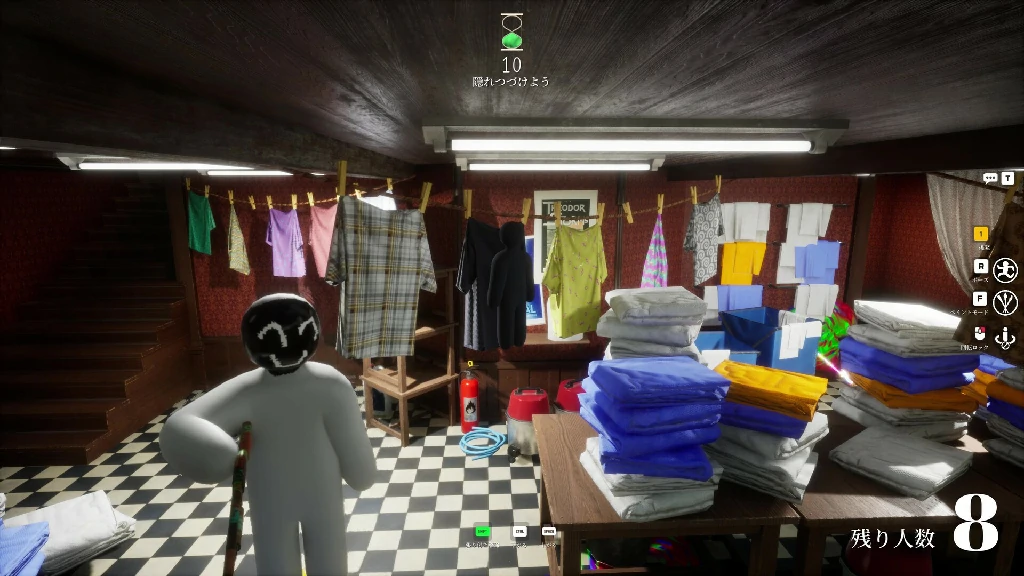
Players hiding in a colorful room

Start here

Mode 01

Basic

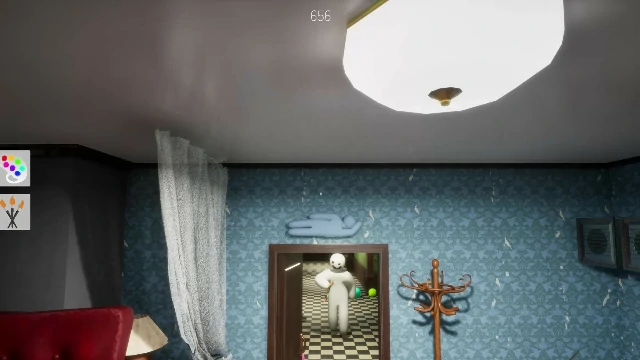
The classic mode. Players split into hiders and hunters. Hiders get time to paint and find a spot. Hunters are then released and search the map. If at least one hider survives until the timer ends, hiders win.

This is the cleanest version of the game's core loop — painting, hiding, hunting, and the reveal. Everything else builds on what Basic teaches.

Best for

New players · First friend lobbies · Learning maps · Understanding the hider vs hunter rhythm
Mode 02

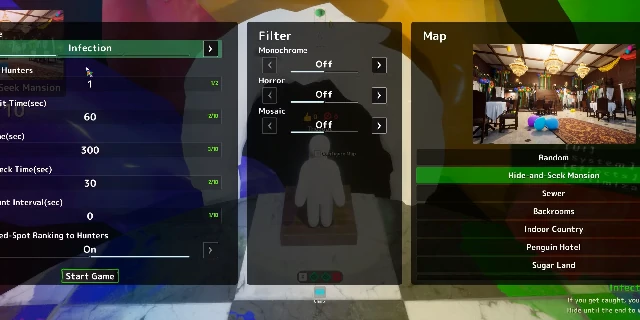
Infection

Infection starts like a normal round, but the key twist is what happens after a hider is caught. When a hunter finds someone, that player immediately joins the hunters and helps search for the remaining hiders.

As the round continues, the hunter team grows and the pressure on the last surviving hiders becomes enormous. The final hiders are the hardest to find — but they are also the most outnumbered.

Best for

Groups that want rising pressure · Medium or larger lobbies · Players who dislike sitting out after being caught

The twist

Caught hiders become hunters. The round ends when everyone is caught — or one hider survives.

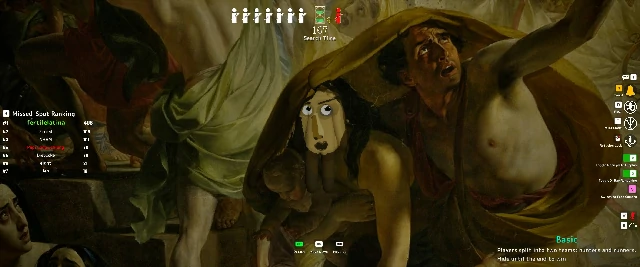
Group of people searching in a large space

Rising pressure

Players scattered across a large environment

Everyone hides

Mode 03

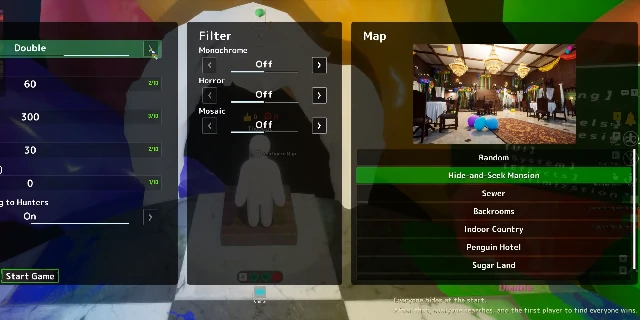
Double

Double changes the structure more dramatically. In Double, everyone hides at the start. After the hiding timer ends, everyone becomes a hunter and starts searching for the others simultaneously.

You are hiding from the same people you are hunting. The winner is whoever finds the most players — or finds everyone first. Trust nobody. Everyone is lying.

Best for

Groups who know the basics · Chaotic lobbies · Players who want to hide and hunt · Anyone who enjoys betrayal and mutual suspicion

Basic

Hiders vs Hunters

Fixed roles. Classic loop. Best starting point.

Infection

Snowball Pressure

Caught hiders join hunters. Pressure builds.

Double

Everyone vs Everyone

Hide and hunt simultaneously. Pure chaos.

Lobby settings

Configure the Match

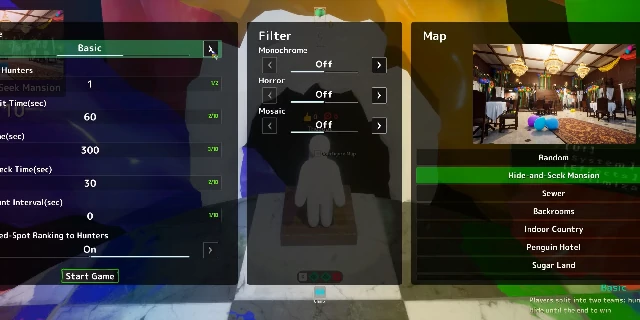
Creating the server only gets everyone into the room. The host still needs to configure the match. Walk to the podium with the light blue button to access map and match settings.

The important point: the host shapes the match experience. A lobby with the wrong mode, too little hiding time, too many players, or a taunt setting that fires every ten seconds can feel bad even if everyone joined successfully.

The host controls map selection, game mode, number of hunters, search time, and other custom rules from this same interface.

Player count

How Many Players?

The hard upper limit is 24. That does not mean every lobby should use 24.

2 – 4

Learning, testing maps, small friend groups.

5 – 8

Comfortable for most casual friend lobbies. Recommended start.

9 – 12

More chaotic but still manageable for many groups.

13 – 24

Possible, but depends on host performance. Note possible instability above 14.

Paint / Prep Time

How Long to Hide?

Longer prep when

  • Players are new
  • Map is unfamiliar
  • Complex colors / artwork
  • You want creative disguises

Shorter prep when

  • Players know the map
  • You want panic
  • Group enjoys rushed chaos

Search Time

How Long to Hunt?

Longer search when

  • Map is large
  • Many hiders
  • New hunters
  • Hiders keep winning easily

Shorter search when

  • Map is small
  • Hunters winning too often
  • You want faster rounds
campaign

Advanced setting

Forced Taunt

Forced Taunt makes hiders reveal themselves through sound at set intervals. Hosts can configure how often this fires.

check_circle

Use when hunters struggle to find anyone, map is large, or room has many players.

warning

Be careful with new players — if it fires too often, hiding feels pointless.

sports_esports

Update 2.3.0

Ammo Limit

Update 2.3.0 introduced Ammo Limit. Designed to stop hunters from blindly firing at every suspicious spot.

1–99

Ammo range

5

Default

0

Hunters lose

Wrong shots consume ammo. Hitting a chameleon restores hunting power. If all hunters run out, chameleons win the round.

warning

Soften or disable for new hunters who are still learning what good camouflage looks like.

Presets

Recommended Settings by Lobby Type

There is no one perfect setup. Use settings based on what kind of session you want to run.

Friends playing games together in a colorful room

Pick your chaos level.

Five lobby presets below

school

Preset 01

First-Time Friend Lobby

Goal: teach everyone the game

  • Private lobby
  • Basic mode
  • Small group (2–8)
  • Simple, familiar map
  • Longer prep time
  • Reasonable search time
  • Light or no Forced Taunt
  • No Ammo Limit yet
sentiment_very_satisfied

Preset 02

Casual Friend Lobby

Goal: relaxed fun and funny reveals

  • Basic or Infection
  • Moderate player count
  • Maps your group enjoys
  • Enough prep for funny paint jobs
  • Forced Taunt if hunters struggle
  • Workshop maps once basics are known
local_fire_department

Preset 03

Chaos / Party Lobby

Goal: loud, messy, unpredictable

  • Infection or Double
  • More players if host can handle it
  • Forced Taunt on
  • Workshop maps
  • Ammo Limit if hunters spam-shoot
  • Shorter, more stressful timings
live_tv

Preset 04

Large Viewer Lobby

Goal: keep a bigger group playable

Clear server name and tags

Region tag matching host / audience

Player count the host can handle

Larger or clearer maps

Enough search time

Forced Taunt to prevent endless hiding

Careful use of Ammo Limit

target

Preset 05

Practice Lobby

Goal: learn maps and settings

  • Private lobby
  • One player or small group
  • Long preparation time
  • A map you want to learn
  • Basic mode
  • No pressure to win

Troubleshooting

Fix Common Multiplayer Issues

Most multiplayer problems fall into three categories. Work through the checklist for your issue before recreating the lobby.

search_off

My Friend Can't Find the Server

Check these first, in order:

  • check_box_outline_blank

    Server name spelling — exact match required.

  • check_box_outline_blank

    Password spelling — case sensitive.

  • check_box_outline_blank

    Host actually created the server (not just opened the menu).

  • check_box_outline_blank

    Lobby is not already full.

  • check_box_outline_blank

    Friend is searching private servers, not public.

  • check_box_outline_blank

    Region or tag mismatch filtering the result.

If the room still does not appear: have the host recreate the lobby with a simpler name and password, then try again.

signal_wifi_bad

Lobby Feels Laggy or Unstable

  • arrow_forward

    Lower the player count first.

  • arrow_forward

    Choose a region closer to the group.

  • arrow_forward

    Try a different host with a better connection.

  • arrow_forward

    Avoid 14+ player rooms if stability is already poor.

  • arrow_forward

    Use simpler maps with less visual complexity.

Frustrated person troubleshooting at a computer

Quick answers

What is the max player count?

24 players per lobby. The developers advise possible instability above 14. GameRant describes 2-12 as a smoother range for most groups.

Is it cross-platform?

No. MECCHA CHAMELEON is not cross-platform. It is currently only available on PC via Steam.

Is there a mobile or browser version?

For platform questions, use the official FAQ rather than unofficial search results. The game became popular quickly and there are already misleading pages around it.

Settings keep changing?

The game is updating quickly. Maps, mechanics, and balance details may change — always check the latest in-game information and official channels for current details.

warning

Stability note

Very large lobbies depend heavily on host connection and performance.

Treat 14+ player rooms as experimental rather than default. Start smaller and scale up once the group is comfortable.

The real value is social. MECCHA CHAMELEON gives friends a machine for making clips, arguments, betrayals, compliments, and running jokes.

— Multiplayer guide

Go deeper

Advanced Multiplayer Topics

Once your group understands the basics, these are the topics worth expanding into. Each one has its own dedicated guide.

Where to Go Next